WordPress plugin
Breadcrumb Premium
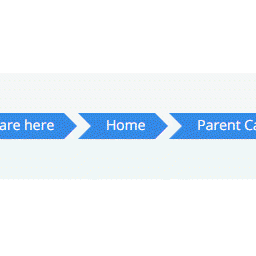
Breadcrumb Premium builds navigation dynamically for posts, pages and parent pages, archives, categories, tags, custom taxonomies and post types, author pages, date views, search pages, the WooCommerce shop, and product pages. The trail reflects the current page or content, giving users a way to see where they are within the website.
How breadcrumb trails work
Breadcrumb Premium builds navigation dynamically for posts, pages and parent pages, archives, categories, tags, custom taxonomies and post types, author pages, date views, search pages, the WooCommerce shop, and product pages. The trail reflects the current page or content, giving users a way to see where they are within the website.
Use the [breadcrumb] shortcode to pick where the trail appears in a supported content area or layout. Premium visibility rules control which selected views or content display it.
Choose placement and visibility
Add the shortcode wherever breadcrumb navigation is needed. Premium can hide breadcrumbs on archive-related views, including the front page, home page, blog, author, search, year, month, date, category, and tag views. You can also hide them by post type or individual post ID. ID rules support custom post types and other selected content.
Set the wording and appearance
- Add custom prefix text and choose separator text. You can hide the final separator.
- Show or hide the “Home” text.
- Limit link text by word count or character count, and set custom ending text.
- Set link font size and container margin and padding.
- Choose colors for link text, separators, and the link background.
These options change how the trail reads and looks; the shortcode determines its placement.
Hooks and translation
Filter and action hooks let developers rewrite or override breadcrumb elements without editing the add-on code. The add-on is translation-ready and includes a default English translation file in its languages directory; you can add your own translation when needed.
Install and use
Install Breadcrumb Premium as a WordPress plugin, then find “Breadcrumb” in the dashboard and activate it. After activation, the Breadcrumb menu appears in the dashboard. Configure the available settings, add the shortcode where you want the trail, and review it on relevant posts, archives, taxonomy pages, and WooCommerce pages. Adjust visibility rules or styling for selected content as needed.