WordPress plugin
Coming soon and Maintenance mode Pro
Coming soon and Maintenance mode Pro includes design and page controls to the Coming soon and Maintenance mode add-on. When maintenance mode is active, logged-out visitors see the temporary page while logged-in users can access the site. This lets site owners and developers work on a website while keeping visitors informed.
Show users a maintenance page
Coming soon and Maintenance mode Pro includes design and page controls to the Coming soon and Maintenance mode add-on. When maintenance mode is active, logged-out visitors see the temporary page while logged-in users can access the site. This lets site owners and developers work on a website while keeping visitors informed.
Choose the page background and countdown
Use a background color, image, slider, or YouTube video. YouTube video backgrounds are unavailable on mobile devices. If you choose a YouTube background, enter the video ID rather than the full video URL.
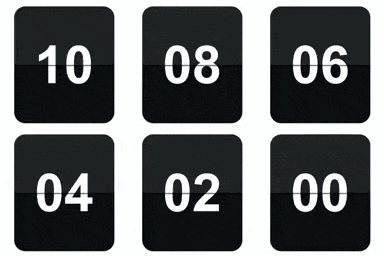
Choose a button, circle, or vertical slider countdown. Set its position, distance from the top, colors, border radius and width, size, font size, and font family. When the countdown expires, you can hide the countdown or disable the under-construction page.
Arrange and style page content
Add a custom logo, title, and message, then set their positions, spacing, colors, and font styles. The settings include 31 built-in fonts. You can adjust the content background color, transparency, border radius, maximum width, padding, and margin, and change the order of content elements.
For motion, choose from 39 animation effects and set how long each element waits before animating. A progress bar can show a selected percentage, with controls for its width, position, loading color, border, and distance from the top.
Collect subscriptions and add social buttons
Customize the subscription form's fields, labels, position, spacing, fonts, input borders, placeholder color, and button colors. Set the messages shown after submission, including responses for blank, invalid, or previously submitted email addresses. The Pro edition can send email notifications to subscribed users.
Set the position, size, and spacing of social buttons and upload your own button images. Social sites can open in a new window. You can also mute or unmute the background video, add a favicon, and show and style an admin link.
Choose who sees the page
Exclude specific pages and posts from the under-construction show, or disable the plugin for specified IP addresses.
Install and configure
In the WordPress administration area, go to Plugins, choose Add New, then Upload Plugin. Select the plugin ZIP file without extracting it, install and activate the plugin, and open its settings. Choose a background type, enter a YouTube video ID if needed, then configure the page elements, countdown, subscription form, and visibility options.