WordPress plugin
Coming Soon Maintenance Mode Pro
Coming Soon Maintenance Mode Pro gives WordPress administrators a temporary public page while a website is being built, prepared for launch, updated, or troubleshot. Coming Soon mode returns HTTP 200; Maintenance Mode returns HTTP 503 for temporary maintenance. By default, logged-in administrators and customers with appropriate permissions can view the live site while visitors see the temporary page.
Coming Soon Maintenance Mode Pro gives WordPress administrators a temporary public page while a website is being built, prepared for launch, updated, or troubleshot. Coming Soon mode returns HTTP 200; Maintenance Mode returns HTTP 503 for temporary maintenance. By default, logged-in administrators and customers with appropriate permissions can view the live site while visitors see the temporary page.
Apply either mode across the whole website or target selected pages, posts, or the front page. Pro includes the free version’s capabilities and adds access to 36+ premium templates for agencies, SaaS websites, portfolios, restaurants, real estate, e-commerce, and other niches. Responsive layouts and desktop, tablet, and mobile previews help you check the page on different screen sizes.
Design the temporary page
Add a logo, headline, and rich description, then choose a background image or solid color. Pro also supports fullscreen video backgrounds from YouTube, Vimeo, or self-hosted MP4 files. For other visual treatments, use linear or radial gradients, seven geometric patterns, or the live backdrop blur filter. Custom CSS Code Studio lets you add CSS with live injection.
Set the launch and collect leads
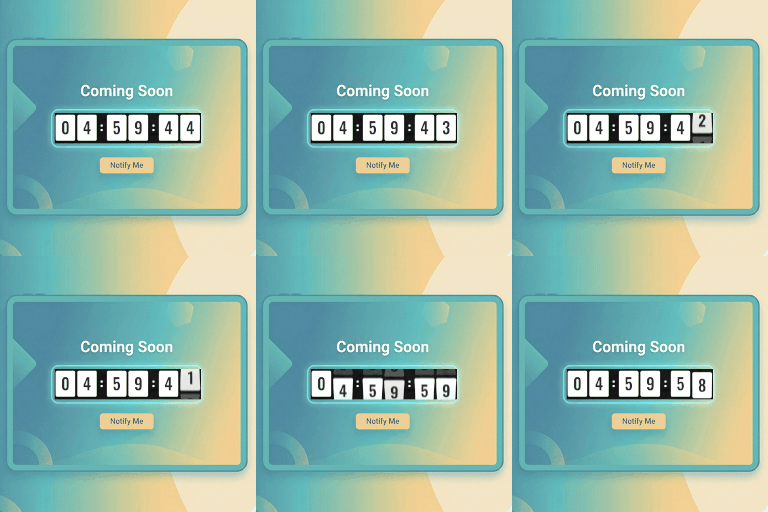
The client-side countdown handles time zones. With Website Auto Launch enabled, the site switches to live when the countdown reaches zero.
- Collect visitor leads and sync them with Mailchimp v3, Brevo v3, MailerLite, or a custom webhook.
- Use authenticated custom SMTP to send welcome emails, administrator new-lead alerts, and site launch announcements.
- View, search, and filter subscribers in Lead Manager, then export lead records to CSV from the dashboard.
Pro expands social links to 12+ channels, including YouTube, LinkedIn, Pinterest, TikTok, Discord, Telegram, and WhatsApp, alongside Facebook, X, and Instagram.
Configure and preview
Install and activate the add-on in WordPress, then choose a mode in the administration options. Select a template, add your logo and headline, configure the description, set a countdown if needed, and choose a background. Next, set site-wide or selective targeting. To collect leads, connect a newsletter service or custom webhook and configure authenticated SMTP for notifications. Preview the page on desktop, tablet, and mobile before activating the temporary experience.