WordPress plugin
Custom Product Tabs Pro
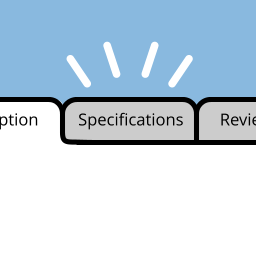
Custom Product Tabs Pro includes tabs beside the standard Description tab on individual WooCommerce product pages. Keep details such as specifications, care instructions, delivery information, technical notes, or sizing guidance in a separate tab. Manage content for one product in its editor, or use saved tabs to share information across products.
Choose where product information lives
Custom Product Tabs Pro includes tabs beside the standard Description tab on individual WooCommerce product pages. Keep details such as specifications, care instructions, delivery information, technical notes, or sizing guidance in a separate tab. Manage content for one product in its editor, or use saved tabs to share information across products.
Tabs managed on one product
On the WooCommerce Edit Product screen, open Custom Tabs at the bottom left of the Product Data box. Add or delete tabs, then use the move controls to set their order. Each tab uses the standard WordPress text editor, which works with text, images, HTML, and shortcodes.
Saved tabs shared across products
Create a saved tab from the Custom Product Tabs item in the WordPress dashboard, then add it to products from each product's Custom Tabs section. Changes to a saved tab apply to the products using it, so shared information such as warranty details or general instructions can be maintained in one place.
When one product needs different content
Select Override Saved Tab, then edit and save the tab for that product. Later changes to the saved tab in the dashboard will no longer apply to that product. Other products using the saved version continue to receive its updates.
Product data and setup
Custom tab data is included in standard WooCommerce product data exports. The add-on is compatible with WPML. Documentation is available in the Knowledge Base, and support questions can be submitted through the Free WordPress Support Forums.
- Install and activate Custom Product Tabs Pro in WordPress alongside WooCommerce.
- Edit a WooCommerce product and open Custom Tabs in the Product Data box.
- Add a product-specific tab, enter content in the WordPress editor, and arrange the tab order.
- For reusable content, create a saved tab from the WordPress dashboard and add it to selected products.
After saving, the tabs appear on the relevant product pages beside the default Description tab.