WordPress plugin
Groovy Mega Menu PRO
Groovy Mega Menu PRO extends WordPress menus with content blocks, varied layouts, and desktop and mobile settings. Use it to organize product categories, services, documentation, or content sections on websites built with supported page builders.
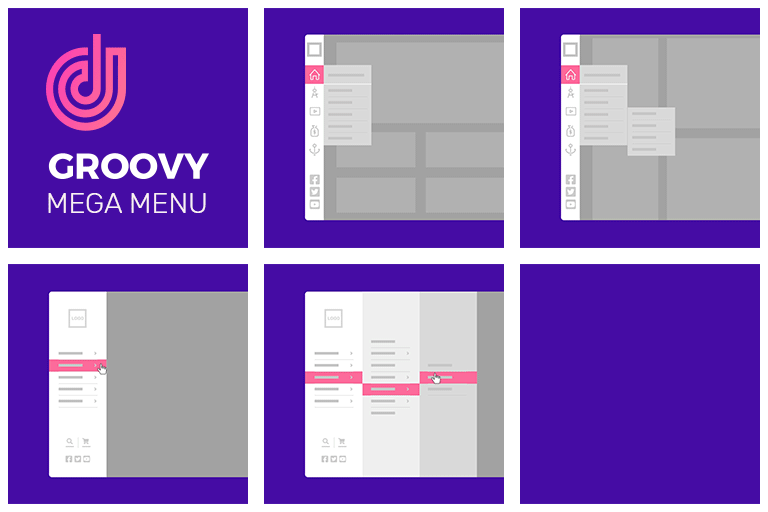
Configure WordPress navigation
Groovy Mega Menu PRO extends WordPress menus with content blocks, varied layouts, and desktop and mobile settings. Use it to organize product categories, services, documentation, or content sections on websites built with supported page builders.
Choose a layout and behavior
Menu arrangements include horizontal, vertical, one-page, dropdown, submenu, topbar, toolbar, sidebar, and secondary navigation. Other options include full-width, mobile slide, expandable, collapsible sidebar, sticky, fixed, and off-canvas menus. Smooth scrolling supports one-page navigation.
Add content and set the appearance
Mega menu blocks place richer content in menu areas, and custom badges can use an icon, text, or image. The feature set also includes icon menus, custom blocks in predefined areas, multiple header layouts, and an online library preset. Set one desktop logo and one mobile logo, select between two hover types, and review the menu in preview mode. Appearance controls cover colors, fonts, and sizes, with automatic or manual integration available.
Menus can be assigned to specific taxonomies when used with user-role add-ons. Additional options include a secondary navigation bar and sidebar menu settings. RTL, WPML, Polylang, and GDPR compliance are listed among the supported capabilities.
Check builder and plugin compatibility
Supported page builders include Elementor and Elementor Pro, DIVI Theme Builder, Avada Fusion Builder, WPBakery, Beaver Builder, Brizy, UX Builder from Flatsome, Cornerstone by Themeco, X Theme, Pro Theme, Gutenberg, and SiteOrigin Page Builder. Pro capabilities also include DIVI Mega Menu modules and WPBakery Mega Menu support.
Listed extension compatibility includes WooCommerce, Contact Form 7, Slider Revolution, ConvertPlug, WPML, Polylang, Ninja Forms, and Elementor Pro. Named cache extensions include WP Rocket, W3 Total Cache, Fastest Cache, Hummingbird, Super Cache, Autoptimize, WP-Optimize, and Cache Enabler. The plugin's navigation functions also include an Ajax Cart.
Set up the menu
Install the plugin, select automatic or manual integration, then configure the layout, logo, colors, fonts, sizes, and responsive options. Choose any required builder or plugin integration, make menu blocks for richer content, and use preview mode to review the navigation before applying it.