WordPress plugin
Inline Related Posts Pro
Inline Related Posts Pro places recommendations inside WordPress articles, where readers can follow links to more of your posts as they read. Automatic insertion can add multiple boxes across posts, and the plugin can also execute alongside another related-post extension.
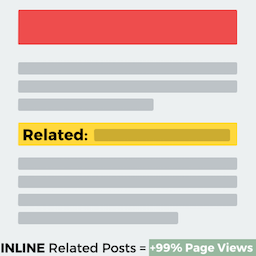
Related posts within article content
Inline Related Posts Pro places recommendations inside WordPress articles, where readers can follow links to more of your posts as they read. Automatic insertion can add multiple boxes across posts, and the plugin can also execute alongside another related-post extension.
Automatic placement
The plugin detects line breaks and reads HTML tags to find suitable insertion points. This helps avoid splitting paragraphs or placing boxes in headings. Use automatic placement to add recommendations across your posts without editing each article individually.
Styles and Pro options
The plugin offers more than 20 combinations of themes, colors, and hover treatments. The Pro edition adds further styles and capabilities, giving you options for how boxes appear within your site’s content layout.
Control recommendations with shortcodes
Use the [irp] shortcode to place a box where it appears in your content. Add post IDs, category IDs, or tag IDs to focus the recommendations:
[irp posts="183,179,191,195"]shows a box linking to a random post from the listed posts.[irp cats="3"]targets posts in a selected category. Use comma-separated IDs for multiple categories.[irp tags="18"]targets posts with a selected tag. Use comma-separated IDs for multiple tags.
Setup
Install and activate the plugin in WordPress, then configure placement and presentation settings. Choose automatic insertion or add the shortcode to selected content. Review the boxes on representative posts to check their position and style.