WordPress plugin
Internal Linking of Related Contents Premium
Automatic recommendations can use categories or post tags. Premium search settings add matching by post title or custom keywords. The AI-powered capability can use OpenAI or local Ollama models to select posts by meaning and context.
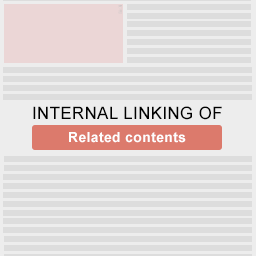
Choose how posts are matched
Automatic recommendations can use categories or post tags. Premium search settings add matching by post title or custom keywords. The AI-powered capability can use OpenAI or local Ollama models to select posts by meaning and context.
Set placement and eligibility
Related posts can appear inline or as a group at a specific point in your content. Choose which devices display them, and exclude categories, post tags, or individual posts. Premium supports selected custom post types and WordPress pages. For pages, recommendations can link child pages or use custom keywords. You can also remove the call-to-action text. AMP support is available for supported display needs.
Shape the presentation
Choose from 12 additional premium templates with various layouts and styles, and set how related content is ordered and sorted. A custom placeholder image can fill in when a related post has no featured image. For posts selected manually through a shortcode, Gutenberg block, or Elementor widget, you can select a custom featured image. Image controls also let you hide posts without featured images and set displayed image width and height.
Set and manage keywords
Add custom keywords to individual posts, or use bulk editing to add or remove keywords for multiple selected posts. These terms give you another way to define which content is related.
Review generated links and clicks
Internal link counts cover related content links generated across posts and pages. Counts update automatically, and tools are available to recalculate outdated values. Click statistics show visitor interactions with related links, with filters, hourly charts, device data, and detailed click events.
Customize displays in your editors
Gutenberg blocks can display a selected related post using the extension options, with template and display options available in the editor. Elementor widgets provide the same selected-post display and customization within Elementor.
Configure the plugin
After installing and activating the plugin, use its admin page to manage related-content behavior, tracking, and display controls. Configure the matching method, exclusions, templates, images, and editor integrations for your WordPress content.