WordPress plugin
Loading Page with Loading Screen Premium
Loading Page with Loading Screen Premium preloads page pictures and shows a progress screen while they load. Its percentage is calculated from images, so it indicates image-loading progress rather than the status of every page resource. The screen disappears when preloading finishes. You can select an animation for revealing the page content or add seconds before the screen is removed.
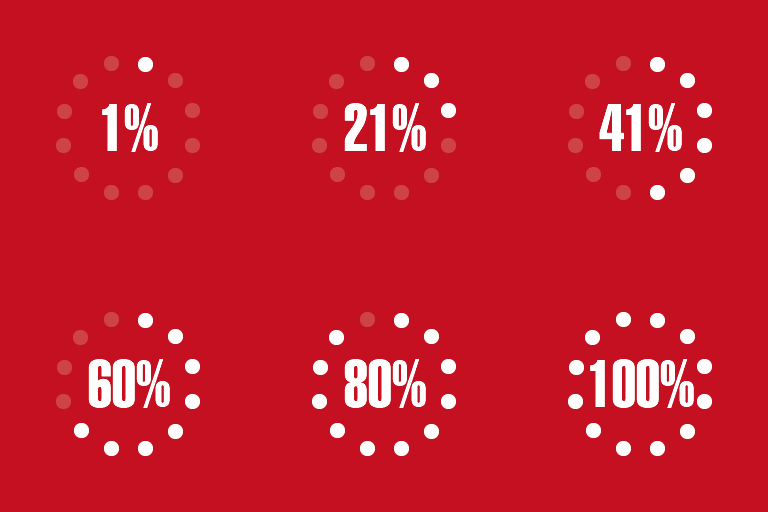
Image progress and page reveal
Loading Page with Loading Screen Premium preloads page pictures and shows a progress screen while they load. Its percentage is calculated from images, so it indicates image-loading progress rather than the status of every page resource. The screen disappears when preloading finishes. You can select an animation for revealing the page content or add seconds before the screen is removed.
Premium includes additional loading screen designs alongside bar, logo, and text styles. A logo screen can use a selected image, while a text screen can display the website title or another short text. Show or hide the percentage, choose foreground and background colors, and set a background image to tile, center, or fill the screen. Background transparency is also configurable.
Choose where the screen appears
Apply the screen to the homepage, all pages, or selected pages and posts. Selected entries can be specified by ID or URL; URL rules can include partial matches and wildcards. You can exclude pages or posts by ID, choose desktop, mobile, or both, set screen size conditions, and display the screen once per session.
Lazy loading and placeholders
Premium lazy loading delays images outside the visitor’s current viewing area until they enter view. Images that are never viewed may not be downloaded, which can reduce image downloads and bandwidth use. Choose a placeholder image to show while an original image is delayed; the add-on recommends a lightweight placeholder.
If another gallery or image extension also lazy-loads images, the settings include an exclusion field for text found in image classes or attributes. The loading screen settings also include a troubleshooting option to disable its deep search if the progress screen stops at a particular percentage.
Install and configure
Install and activate the plugin in WordPress. Open its settings through Settings > Loading Page or the Settings link in the Plugins area. Enable the loading screen, choose its page or post scope and devices, and enter any exclusions.
Then choose a screen style, set its colors and optional background image, and decide whether to show the percentage. Select a content reveal animation if desired. Configure lazy loading and its placeholder image in the available settings.