WordPress plugin
MultiStep Checkout for WooCommerce Premium
MultiStep Checkout for WooCommerce Premium divides the classic WooCommerce checkout into stages such as login, billing, shipping, order review, and payment. This setup can help organize longer forms or checkouts with custom fields. Store options control which stages appear, their order, and how they are displayed.
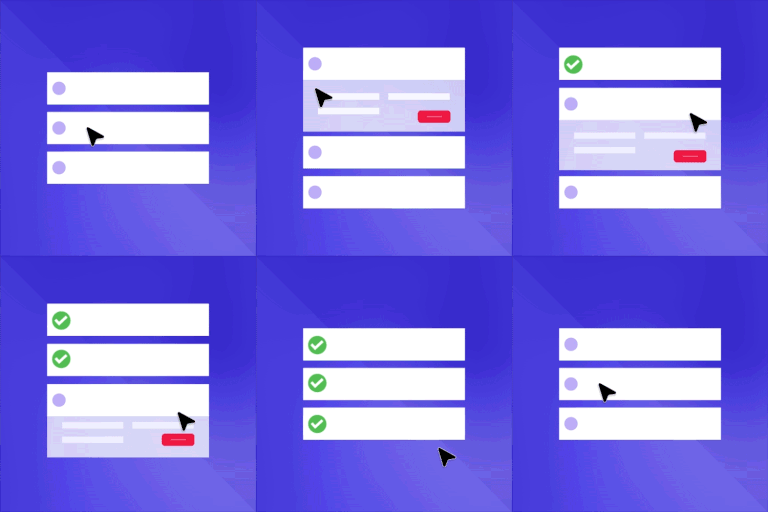
MultiStep Checkout for WooCommerce Premium divides the classic WooCommerce checkout into stages such as login, billing, shipping, order review, and payment. This setup can help organize longer forms or checkouts with custom fields. Store options control which stages appear, their order, and how they are displayed.
Choose a layout for the checkout steps
The Premium edition expands the layout selection from four settings to 14, grouped into horizontal, vertical, and accordion styles.
- Horizontal: Horizontal Box, Horizontal Arrow, Closed Arrow, Timeline, Simple Dot Format, Looped Box, Tab Format, and Custom Separator
- Vertical: Vertical Box, Vertical Arrow, Vertical Box with Border, and Vertical Arrow with Border
- Accordion: Classic Accordion and Accordion with Icons
Set the order and grouping
Rearrange checkout steps, or enable and disable them to match the store's process. Billing and shipping can share a step. Order review and payment can have separate steps, with Order Review kept visible on the right while customers reach Payment.
You can also move the coupon form above the payment section and add a Back to Cart option for customers who need to return to their cart.
Add guidance and progress cues
Required fields can be checked before customers continue from the current step. Add custom text or instructions within checkout steps to provide context where it is needed.
A progress bar can appear below the layout. Choose its style and adjust its visual settings so customers can see their place in the checkout sequence.
Adjust the appearance
Set custom titles for steps and choose various background colors for active and inactive states. The add-on is listed as compatible with themes and builders including Astra, Avada, Divi builders, Storefront, OceanWP, Flatsome, Sydney, and Hestia.
Install and configure
Install the Premium edition on a WordPress website with WooCommerce available. In the checkout settings, choose a layout, arrange the steps, and configure titles, colors, and the options for billing, shipping, order review, payment, coupons, and progress display.