WordPress plugin
Pricing Table Premium
Pricing Table Premium extends a WordPress pricing table builder for presenting plans and comparing products or services. Create unlimited tables, with unlimited packages in each table and unlimited features in each package. Tables adapt to desktop, tablet, and mobile screens.
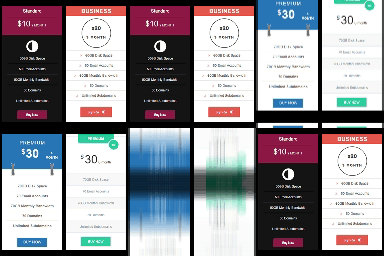
Pricing Table Premium extends a WordPress pricing table builder for presenting plans and comparing products or services. Create unlimited tables, with unlimited packages in each table and unlimited features in each package. Tables adapt to desktop, tablet, and mobile screens.
Build plan comparisons
Use tables for subscription plans, service packages, product comparisons, membership levels, hosting offers, or software pricing. Each package can display its name, price, feature details, icons, and a call-to-action button. Checkmarks and crosses indicate included and excluded capabilities, and a featured option can highlight a plan.
Customize button text, links, and colors. Buttons can point to WooCommerce product pages or checkout URLs; the table presents plan information and links.
Choose a layout and explain features
The base plugin includes four templates, and Pricing Table Premium includes 26 more. Premium also includes a monthly and yearly switcher for recurring plan options, tooltips for longer feature descriptions, custom pictures in pricing cards, and YouTube and Vimeo video support.
- Advanced column layout settings
- Button icon customization and extended font size controls
- Option to open links in a new tab
- Priority support
Other available styling options include colors for headers, buttons, and features, an icon picker, and custom CSS for advanced styling. Sidebar widget integration is available, and the shortcode works with Gutenberg blocks and Elementor widgets.
Create and publish a table
- Install and activate the plugin in WordPress.
- Open Pricing Table in the dashboard and select Add New.
- Enter package names, prices, features, and button text, then save the table.
- Copy the generated shortcode and place it in a page, post, sidebar, widget area, Gutenberg block, or Elementor widget.
Use the template, layout, typography, color, icon, image, video, tooltip, and switcher settings to prepare the comparison. The plugin supports English, Hindi, German, Spanish, Arabic, Indonesian, Portuguese, and Chinese.