WordPress plugin
Related Post Pro
Related Post Pro lets you choose which posts appear alongside your content and where they display up. Manual selection gives you control over posts for each individual item; advanced queries can use the current post’s categories, tags, and custom taxonomies.
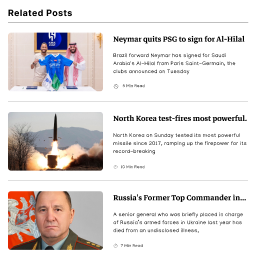
Related Post Pro lets you choose which posts appear alongside your content and where they display up. Manual selection gives you control over posts for each individual item; advanced queries can use the current post’s categories, tags, and custom taxonomies.
Choose posts and placement
Set a maximum number of posts and choose query order and orderby parameters. On individual posts, pages, and custom post types, place related posts before or after the content, below the first, second, or third paragraph, or before the last paragraph.
For archive views, related posts can appear before or after excerpts. Configure display for tag, category, date, author, search, and custom taxonomy pages, as well as the home page, front page, blog page, and year or month archives.
Set the display style
Choose a grid, slider, or list layout. Set item widths, margins, padding, and text alignment, then arrange the title, thumbnail, and excerpt in the order you want. Each element can be shown or hidden.
Adjust title and excerpt font size, color, padding, and margin. Set the thumbnail height and choose its size. Custom CSS is available for individual elements.
Configure popups and added content
Pro popup options display related posts beneath a single blog post or custom post type. Choose from eight popup positions and set a delay. A popup can also appear when a visitor scrolls to the end of the article content or reaches the end of the page or footer.
Add custom HTML or third-party shortcode output after post titles, excerpts, and thumbnails. A shortcode can also place related posts at a chosen location, including from theme documents.
Track clicks and set link targets
Enable click tracking to see the top 10 posts by related-post clicks on the statistics page. Set link targets separately for post titles, thumbnails, and read more links, with options such as _blank and _parent.