WordPress plugin
Safelayout Cute Preloader Pro
Safelayout Cute Preloader Pro shows an animated screen while a WordPress page loads. Its Special Preloader capability lets you assign different loading designs to particular pages, posts, or data types, such as products. This is useful when product pages and other sections need distinct presentations.
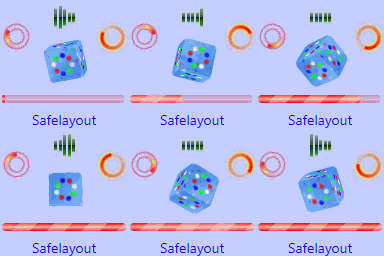
Safelayout Cute Preloader Pro shows an animated screen while a WordPress page loads. Its Special Preloader capability lets you assign different loading designs to particular pages, posts, or data types, such as products. This is useful when product pages and other sections need distinct presentations.
Assign a loading design to each section
Create multiple preloader configurations and select where each one appears. Device controls let you display a preloader on all devices, on mobile devices only, or on desktop screens only.
Choose the animation and appearance
The animation system uses pure CSS and does not use GIF images. Choose from 35 loading animation icons and 18 background exit effects. You can also use background animation and geometric patterns, add a custom logo or loader picture, and apply brand image animation effects.
For text, enter a custom string and select from 11 text animation effects. Set gradient colors for the icon, progress bar, and background, apply visual filters to icons, and use a progress bar or counter.
Set timing and visitor controls
Configure minimum and maximum runtime settings for the preloader. You can also enable a close button so visitors can dismiss the loading screen.
Configure and review
Install the extension on your WordPress site and open its administration panel. Choose an animation, configure colors and background effects, add a logo or loader image, and enter any custom text. Set device visibility and minimum or maximum runtime values, then decide whether to enable the close button.
If you use several layouts, create the required Special Preloader configurations and assign them to the relevant pages, posts, or data types. Review each configuration on its intended device and website section before publishing.