WordPress plugin
StoreCustomizer Pro
StoreCustomizer Pro extends WooCommerce pages designed by your theme. It includes store functions and styling options without overriding WooCommerce templates, so you can adjust selected elements without building a child theme or adding separate code snippets for each change. Its visual options let you preview changes while editing in the WordPress Customizer. The add-on is designed to load code for capabilities you activate.
WooCommerce shop controls in the Customizer
StoreCustomizer Pro extends WooCommerce pages designed by your theme. It includes store functions and styling options without overriding WooCommerce templates, so you can adjust selected elements without building a child theme or adding separate code snippets for each change. Its visual options let you preview changes while editing in the WordPress Customizer. The add-on is designed to load code for capabilities you activate.
WooCommerce must be installed and active. In the WordPress dashboard, open WooCommerce > StoreCustomizer and enable the Pro features you want. Then go to Appearance > Customize > StoreCustomizer to configure them and review visual changes.
Choose how products are shown and purchased
Catalogue Mode removes Add to Cart and purchase functionality, so products appear as a catalogue. Apply the mode to every product, selected products, or visitors who are not logged in. For logged-out visitors, it can prompt them to create an account and sign in before purchasing. Catalogue Mode can be temporary or remain enabled.
Product Quick View opens a popup from shop and category pages. Shoppers can browse the product image gallery, add an item to the cart, or continue to its single product page.
Help shoppers find and reach products
Ajax Product Search displays product suggestions as visitors type. Add a search bar with a shortcode or widget, or place it at the top of the shop page.
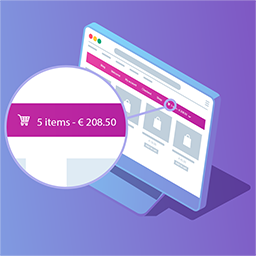
Menu Cart adds cart access to a selected menu or to a page using its shortcode. The optional dropdown mini cart lets shoppers review or remove products and proceed to checkout. You can set the cart to appear only on shop pages or only when it contains products.
For mobile and tablet navigation, the Handheld Footer Bar can include WooCommerce page links, Ajax Search, and your own links. Its colors and links are configurable.
Adjust checkout and post-purchase steps
Direct Checkout can remove the cart page and send customers to checkout, with an option to include the cart on the checkout page. Custom Thank You Pages can send customers to a default page or route them to various pages based on the products purchased or the payment method. Build these pages with the WordPress editor, Elementor, Beaver Builder, SiteOrigin, or another page builder.
A Sticky Add to Cart banner appears after the standard product-page button scrolls out of view. The product quantity controls can set minimum and maximum values and an increment; Pro also adds plus and minus buttons to the single-product quantity field.
Customize store and account details
StoreCustomizer's styling controls let you edit or remove shop and product page elements, adjust font sizes and colors, and customize buttons across shop, product, cart, and checkout pages. You can edit sale banner text and colors, add New Product badges based on how recently an item was created, and customize product tabs and their headings.
Other options include removing basic checkout fields, automatic or Ajax cart updates when quantities change, a Back to Shop button on the cart page, and a Continue Shopping button on product pages. You can edit account tab headings, add a Login or Logout item to a selected WordPress or theme menu area, and pick redirect pages for login and logout.