WordPress plugin
XT Floating Cart for WooCommerce Premium
XT Floating Cart for WooCommerce Premium shows a cart icon and entry count across store pages. Selecting the icon opens a sliding cart where shoppers can review products, update quantities, remove items or undo a removal, and continue toward checkout. The Premium edition includes the free features, such as fast add to cart, quantity updates and a message when the maximum quantity is reached.
Keep the cart within reach
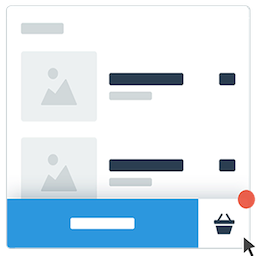
XT Floating Cart for WooCommerce Premium shows a cart icon and entry count across store pages. Selecting the icon opens a sliding cart where shoppers can review products, update quantities, remove items or undo a removal, and continue toward checkout. The Premium edition includes the free features, such as fast add to cart, quantity updates and a message when the maximum quantity is reached.
Choose cart contents and purchase settings
Use the WordPress Customizer with Live Preview to configure what shoppers can see and do in the cart.
- Enable coupons, cart totals, total savings and an Express Checkout Form.
- Show suggested related products, cross-sells or upsells.
- Add a Free Shipping Bar and select whether it displays the subtotal or total.
- Support variations, bundles and composites, and show product attributes.
- Let shoppers clear or restore the entire cart with one click.
- Add the cart to a menu and enable automatic cart height.
Set its appearance and display
Adjust the cart width and height, choose Google Fonts, and set custom colors or backgrounds. Custom icon options include SVG, image and font icons, with 11 loading spinner animations to choose from. Page exclusions control where the cart appears, while device visibility options and RTL support help adapt its display. Shoppers can use either a Checkout or View Cart button, and you can configure the cart to open on mouse-over.
Keep Ajax shopping in context
Premium supports Ajax add to cart on single product pages and inside Quick View modals, so shoppers can add products while browsing. It works with XT Quick View, XT Variation Swatches and Woo Variations As Singles. Responsive and mobile support helps keep the cart usable across screen sizes.
Configure the cart
Install and activate the add-on in WordPress, then open its settings and configure the cart in the Customizer with Live Preview. Set its position, appearance, animations, buttons, product suggestions, shipping bar and visibility rules. Review it on relevant product, shop and mobile views, then adjust the available options to fit your store layout.
English is the default language, and the extension is localized and translatable. Premium includes automated updates, security patches, priority email support and Help Center support.