WordPress plugin
Easy Accordion Pro
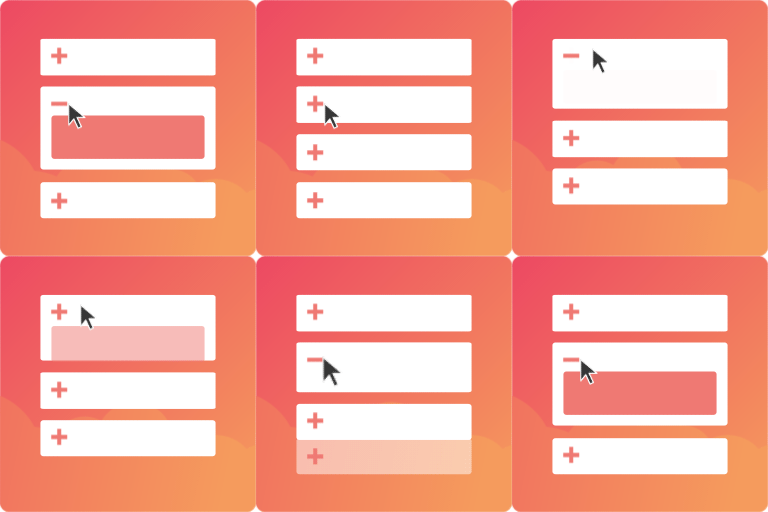
Easy Accordion Pro is a WordPress FAQ and accordion builder for organizing answers, product questions, posts, pictures, and media into expandable sections. Use it on sites and WooCommerce stores, starting with a ready-made pattern or your own content, then tailor the display and publish.
Easy Accordion Pro is a WordPress FAQ and accordion builder for organizing answers, product questions, posts, pictures, and media into expandable sections. Use it on sites and WooCommerce stores, starting with a ready-made pattern or your own content, then tailor the display and publish.
Choose the content and how it is organized
Manage FAQs with categories or use the advanced query builder to display dynamic content such as recent posts and WooCommerce products. Post details, including author, category, and date, can appear where appropriate. AI-powered FAQ generation can help prepare question-and-answer content.
Choose timeline or Q&A layouts, or use numbered, numeric, Roman, or alphabetical numbering. Multiple content positions let you arrange each section. Add prefix or suffix badges to titles, customize featured icons and buttons, and choose whether collapsed entries display icons and titles. Selected items can stay open or be hidden.
Set item behavior and visual details
- Create shareable anchor links for individual accordion items. Link titles to URLs, or make the icon, title, or full header clickable.
- Add a quick close button and scroll the active item to the top when it is toggled.
- Set smooth animations and transition effects, or use an accordion slider with hover effects.
- Control featured images and product attributes, set picture focal points, and flip images.
- Use the image lightbox with more than 15 icons and image effects.
Help visitors find answers and share feedback
Ajax live search finds matching content within FAQs and accordions. Ajax pagination supports larger collections, and frontend category filters let visitors narrow content by topic. A customizable Toggle All control opens or closes multiple items.
FAQ forms let visitors submit questions below an FAQ section, giving you topics to consider adding. Real-time analytics show which FAQs are popular and can inform content updates.
Adjust the display for devices and site tools
Set responsive breakpoints for desktop, tablet, and mobile displays. On mobile, a horizontal layout can switch automatically to vertical. Choose click, hover, or autoplay activation, set the initial display state, and customize toggle icons and their rotation.
FAQ schema markup is available to describe FAQ content; Google no longer displays FAQ rich results. Easy Accordion Pro supports multisite and right-to-left layouts, and works with Gutenberg, Elementor, Classic Editor, WooCommerce, and popular page builders.
Get started
Install and activate Easy Accordion Pro in WordPress, then create an FAQ or accordion from the builder and available patterns. Add or generate content, choose a layout and display options, adjust responsive and interaction controls, and publish the section.