WordPress plugin
Latest Posts Block
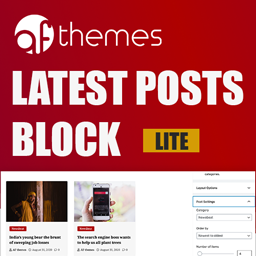
Latest Posts Block Premium includes Gutenberg blocks for arranging recent content in grid, list, full, express, and tile layouts. Each layout type has multiple pre-designed looks, and the Premium version includes 30+ posts box layouts. Use them for a latest-posts area, a category-focused section, or a content show on a blog, magazine page, or news section. The extension is designed for WordPress sites that support the block editor and does not require coding knowledge or a third-party page builder.
Build post sections in the block editor
Latest Posts Block Premium includes Gutenberg blocks for arranging recent content in grid, list, full, express, and tile layouts. Each layout type has multiple pre-designed looks, and the Premium version includes 30+ posts box layouts. Use them for a latest-posts area, a category-focused section, or a content show on a blog, magazine page, or news section. The extension is designed for WordPress sites that support the block editor and does not require coding knowledge or a third-party page builder.
Choose the posts and details to show
Set a category and post count for each block, then order posts by date or name. Multiple category display designs are available. You can select image sizes and show or conceal titles, categories, excerpts, and other meta items. When excerpts are enabled, adjust their length. Read-more controls let you set the link wording and presentation.
Adjust type and box styling
Typography and color controls help match a post section to the rest of a site. Choose from more than 800 Google font families, with font weight and subset settings, and adjust text sizes for desktop, tablet, and mobile views. Font Awesome 5 icons are available for details such as the author, date, and comment count. Box shadows, borders, border radius, content gaps, and spacing controls let you refine the layout.
Set up a block
Install the extension on a WordPress site that supports the block editor, then add a Latest Posts Block to a page or post. Choose a layout and pre-designed look, configure the query and displayed content, and adjust typography, colors, icons, borders, and spacing. Review the block at desktop, tablet, and mobile sizes before publishing or updating the page.