WordPress plugin
WP Sticky Sidebar Pro Plan
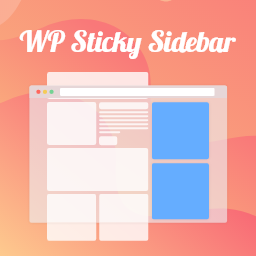
WP Sticky Sidebar turns a selected WordPress sidebar into a floating sidebar that remains visible while users scroll. This can make navigation, menus, and other sidebar content easier to reach from various points on a page. The paid editions are available as the Pro Plan and Agency Plan.
Keep important sidebar content visible
WP Sticky Sidebar turns a selected WordPress sidebar into a floating sidebar that remains visible while users scroll. This can make navigation, menus, and other sidebar content easier to reach from various points on a page. The paid editions are available as the Pro Plan and Agency Plan.
The extension is designed for websites where visitors need continued access to sidebar navigation or related content. A fixed sidebar can help people find pages without returning to a particular viewport position. The plugin is responsive as far as the active theme is, and it is localized with multi-language support.
Controls available in the paid plans
The source lists the following capabilities for the Pro plan:
- Disable the floating sidebar on desktop.
- Disable the floating sidebar on mobile.
- Add CSS styling to the sticky sidebar.
- Disable the sticky sidebar on specific pages.
- Disable it on the front page, blog page, posts, categories, tags, and archives.
These controls give website owners more control over when the sidebar is active and how it looks. For example, a site can keep the sidebar fixed on selected content while excluding pages where a fixed element is not wanted. Device-specific options can also separate desktop and mobile behavior.
How the sidebar is configured
The plugin uses a Sticky Sidebar Class setting to identify the sidebar element that should remain fixed. The default value is #secondary, but this may need to be changed for a particular theme. A Container Class identifies the element containing both the sidebar and the main content. If left blank, the script attempts to determine it.
Additional top and bottom margins can fine-tune the sidebar position. A screen-width setting can prevent the sticky sidebar from appearing below a selected width. There is also an option to update the floating sidebar height, described as a troubleshooting setting for cases where the sidebar loses its background color.
Pro and Agency for multiple websites
The Pro plan includes licenses for 5 domains, while the Agency plan includes licenses for 20 domains. Both are paid plans for using the plugin across the stated number of domains. The source states that a purchased paid plan can be used forever, with support and updates available for one year. The license can be renewed each year for another year of support and updates.
Installation and practical workflow
Install WP Sticky Sidebar in WordPress and open its settings. Enter the CSS class or ID for the sidebar, using the required format: a dot before a class name or a hash before an ID. Add the container selector if the theme requires it, then set margins and the minimum screen width for the sticky behavior.
After saving, review the sidebar while scrolling on the relevant pages and screen sizes. If the sidebar does not behave as expected after an update, the source recommends clearing the website or browser cache and saving the plugin settings before clearing the cache again. Theme inspection tools can help identify the correct sidebar selector.