WordPress plugin
Brave Pro
Brave Pro extends Brave’s visual drag-and-drop popup builder for WordPress. Create opt-in forms, surveys, contact and feedback forms, sticky components, sidebars, announcements, modals, lightboxes, slide-ins, and other interactive widgets in the editor without coding.
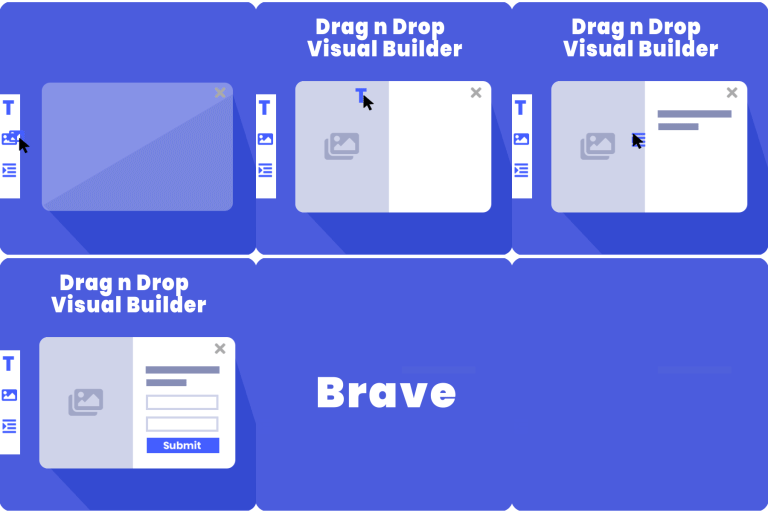
Brave Pro extends Brave’s visual drag-and-drop popup builder for WordPress. Create opt-in forms, surveys, contact and feedback forms, sticky components, sidebars, announcements, modals, lightboxes, slide-ins, and other interactive widgets in the editor without coding.
Link popup steps and configure form submissions
Create unlimited popup steps and link them together. A user’s selection can determine which form appears, and a flow can end with a custom thank-you step. An unobtrusive ribbon can show a prompt such as “Contact Us” or “Subscribe”; clicking it opens the related popup.
The Form Element supports unlimited fields and multi-step forms for surveys, polls, contact forms, feedback, and newsletter opt-ins. After submission, you can send an automatic email reply or offer a file or ebook download. Zapier and Integromat integrations can send form data to more than 1,500 apps.
Connect opt-in forms with services including Mailchimp, Mailjet, MailPoet, SendGrid, Brevo, HubSpot, ActiveCampaign, AWeber, ConvertKit, Constant Contact, Campaign Monitor, GetResponse, MailerLite, Ontraport, SendPulse, Moosend, The Newsletter Plugin, Pabbly, Klaviyo, FluentCRM, Sendy, OmniSend, MailWizz, Mailster, and Zapier.
Add content and media in the editor
Brave Pro adds nine elements, including videos, countdown timers, animated stickers, WordPress Posts, dynamic content, WooCommerce single products, and signup or login elements. Combine text, pictures, forms, products, and calls to action in a popup layout. Pro also includes 100 presets and options to import and export presets.
Insert free creative assets from the editor: images and videos from Pixabay, animated stickers from Giphy, and free icons.
Set show rules and review activity
Choose who sees a popup, where it appears, and when it opens. Pro display options include exit intent, form submission, and scroll triggers; advanced targeting can use device, visitor role, and traffic source. Frequency settings limit repeat displays. You can design desktop and mobile versions separately, add animations, and use a Code element for shortcodes or custom code.
Set a popup goal and receive a real-time email, SMS, or push notification when it is completed. Analytics reports popup views, clicks, and form submissions, and click or submission events can be sent to Google Analytics.
Start a popup workflow
Install Brave on your WordPress site and open the popup builder. Choose a popup or widget type, then arrange elements with the drag-and-drop editor. For a Pro workflow, add and connect steps, configure forms, connect available services, set targeting and frequency rules, and publish the experience.